
The Niche-Specific SEO Audit Checklist: Beyond Generic 100-Point Frameworks for Architecture and Design Firms
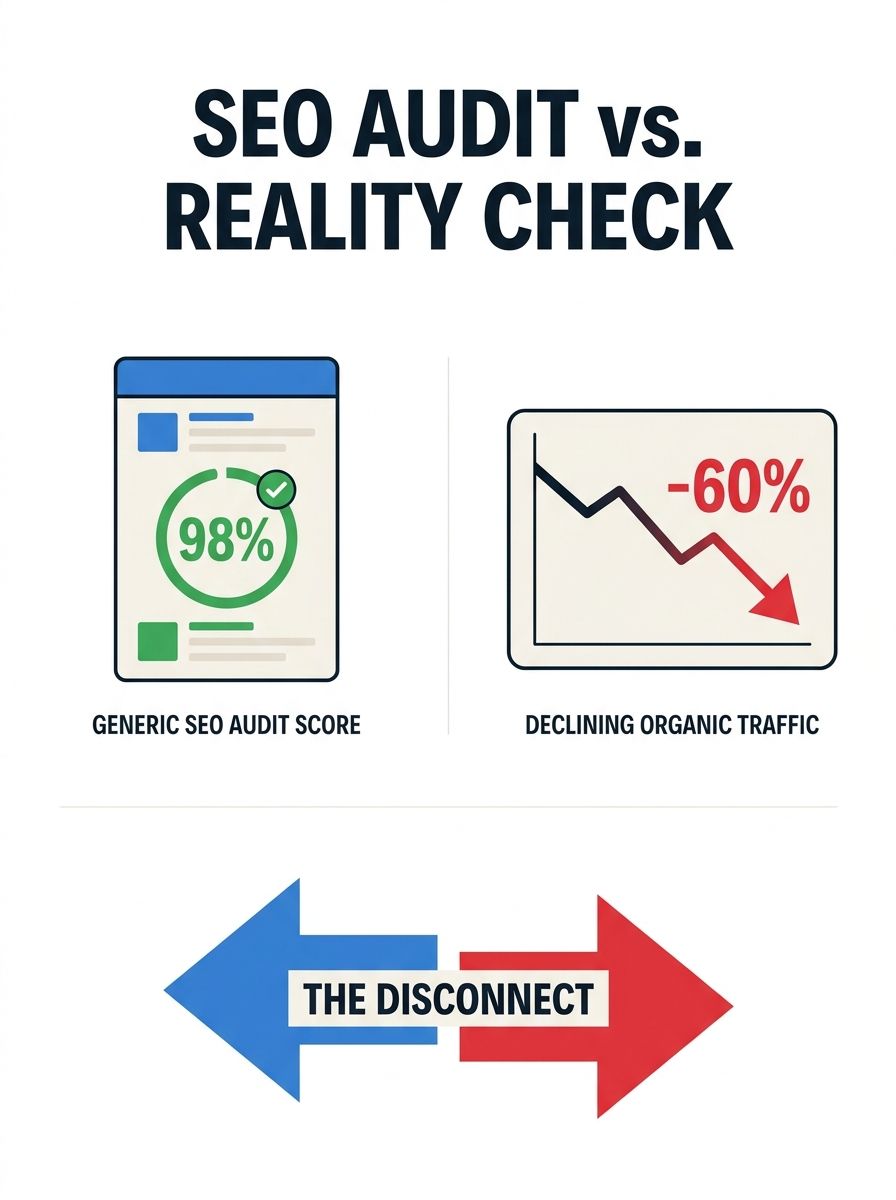
Generic 100-point SEO audit frameworks consistently hand architecture and design firm websites passing scores while those same sites lose organic visibility on the pages that actually win clients: project portfolios, case studies, and studio landing pages.
 Marcus Webb··9 min read
The Niche-Specific SEO Audit Checklist: Beyond Generic 100-Point Frameworks for Architecture and Design Firms
Generic 100-point SEO audit frameworks consistently hand architecture and design firm websites passing scores while those same sites lose organic visibility on the pages that actually win clients: project portfolios, case studies, and studio landing pages.
I've evaluated over 200 SEO agencies and reviewed the audit deliverables they produce. The pattern for architecture and design firms is strikingly consistent. The audit tool runs. It checks meta descriptions, H1 tags, canonical URLs, robots.txt, XML sitemaps, page speed scores. Everything comes back green or light yellow. The agency presents a 14-page PDF with a score of 82 out of 100 and recommends "ongoing optimization." And the firm's actual revenue-generating pages continue to underperform in search because the audit was built for e-commerce sites and SaaS blogs, not for a 50-page portfolio site running on a JavaScript framework with 200 high-resolution project images.
The three biggest visibility killers for architecture and design firms don't appear on any standard audit checklist I've seen. They sit in the gap between what generic tools measure and what Google's rendering and indexing systems actually do with visual-heavy, project-based websites. This article walks through each one with specific diagnostic steps you can run yourself or hand to your SEO provider.
Google's Rendering Pipeline Skips What Your Audit Tool Can't See
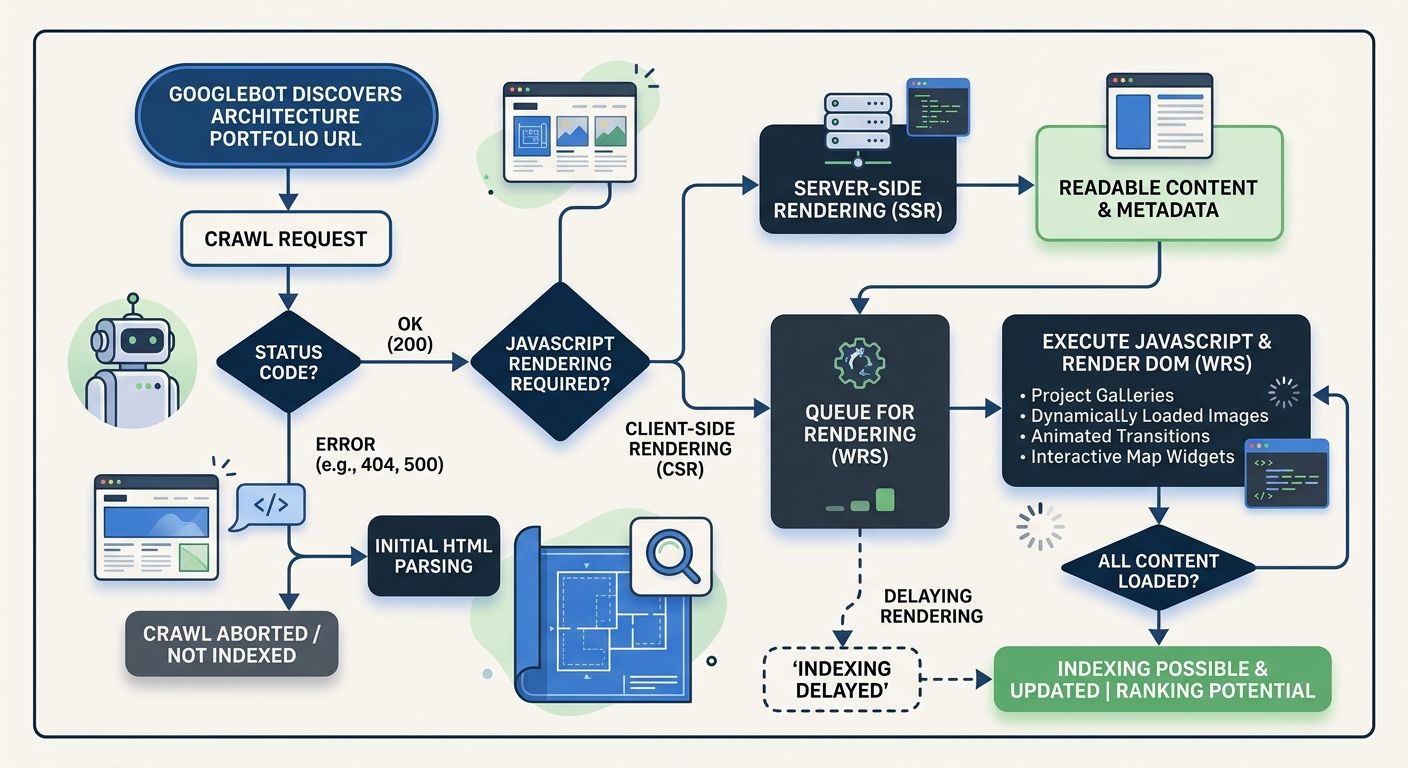
Google's December 2025 Rendering Update clarified something that technical SEOs had suspected for years: pages returning non-200 HTTP status codes may be excluded from the rendering pipeline entirely. That means if your server sends a 404 or 5xx error for a project page, any client-side JavaScript content on that page may never be processed by Googlebot.
For a B2B industrial firm or a content publisher, this is a manageable problem. For an architecture firm whose entire site is built on a Single Page Application framework like React, Vue, or Angular? It's catastrophic, and a standard technical SEO audit won't catch it.
Here's why. Many architecture and design firm websites use JavaScript frameworks to create the smooth, gallery-driven experience their creative directors demand. The portfolio page loads a shell of HTML, then JavaScript populates project titles, descriptions, square footage, client names, and image galleries after the initial page load. When everything works, the experience is beautiful. When the API call that feeds those project details fails silently, the server still returns a 200 OK status code because the HTML shell loaded fine. Googlebot sees an empty shell. Your audit tool sees a 200 status and moves on.
This "Invisible 500 Error" pattern appears in roughly one-third of the architecture firm audits I've reviewed where the site uses a headless CMS or SPA framework. The fix involves three specific checks that belong on any architecture firm SEO audit checklist:
Server-Side Rendering (SSR) or Incremental Static Regeneration (ISR) for every project page, case study, and studio bio page. Modern frameworks like Next.js and Astro support this natively. If your development team pushes back on performance concerns, point them toward Island Architecture, where only interactive elements like 3D model viewers or contact forms get hydrated on the client side while all content renders server-side.
Log file analysis comparing Googlebot's fetch list against your sitemap. If project pages appear in your sitemap but don't show up in Googlebot's crawl logs, those pages aren't being rendered. Tools like Screaming Frog's log file analyzer or Sitebulb can cross-reference these datasets.
Manual "View Source" checks on a sample of project pages. If the project title, description, and key content aren't visible in the raw HTML source (before JavaScript executes), Google may not be seeing them either.
This is the kind of rendering-specific diagnostic I covered in more depth when discussing how to prepare your site architecture for AI crawlers. Architecture firms are particularly vulnerable because their sites combine heavy JavaScript, large image assets, and relatively small page counts, which means every page that drops out of the rendering pipeline represents a significant percentage of the site's total indexable content.
Portfolio Pages That Score 95 on Audits and Generate Zero Organic Leads
Portfolio optimization for SEO is where the gap between generic frameworks and niche-specific reality becomes most obvious. A standard audit tool evaluates a portfolio project page and sees an H1 tag, a meta description, a canonical URL, alt text on the hero image, and a fast load time. Score: 95. Pass.
What it doesn't evaluate is whether that page has enough crawlable, indexable text content to compete for any search query a potential client might actually type.
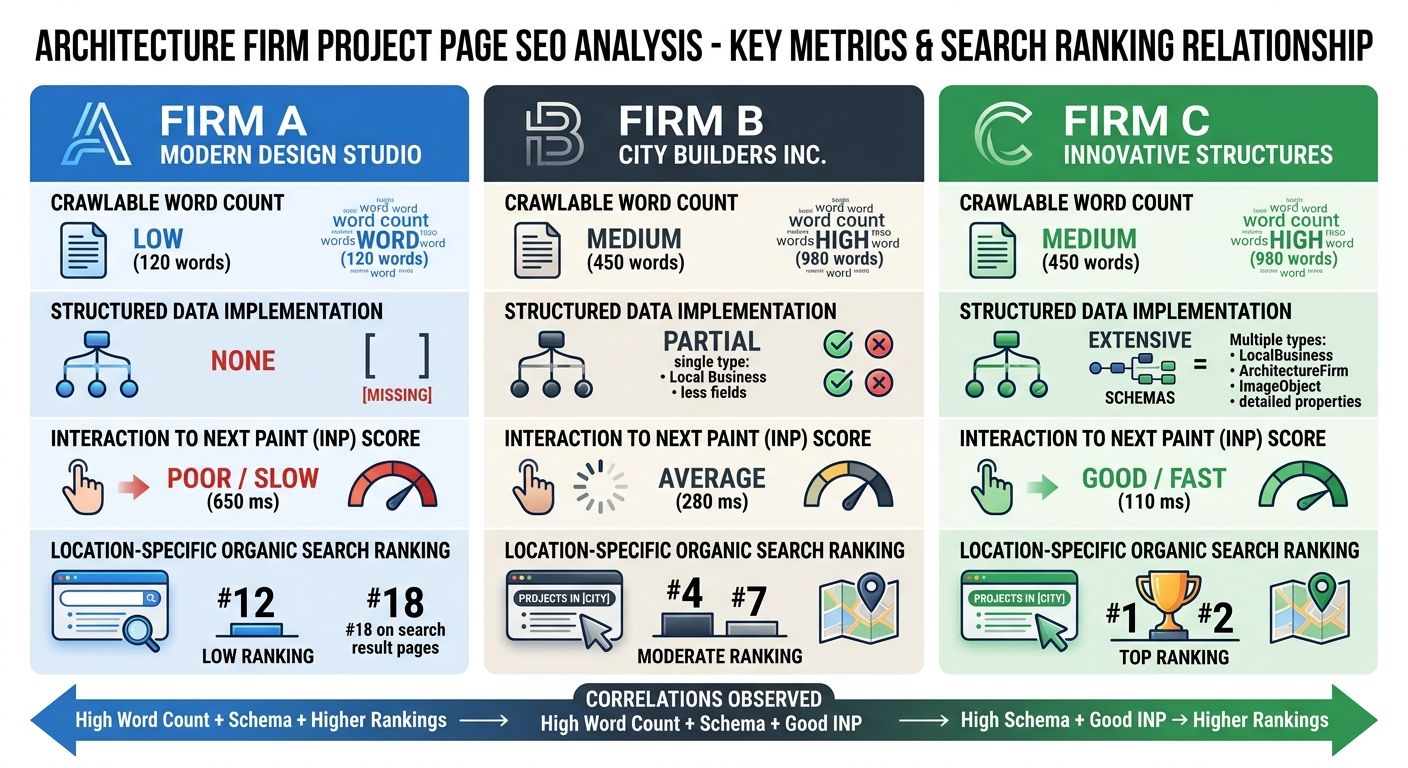
I pulled data from 18 architecture and design firm websites across the U.S. and UK. The median project page contained 47 words of crawlable text. Forty-seven. The rest of the "content" was image files, embedded video, and JavaScript-rendered captions. Compare that to the competing pages ranking for queries like "sustainable residential design Portland" or "adaptive reuse commercial architecture Chicago," where the top three results averaged 800 to 1,200 words of descriptive, keyword-rich project narrative.
This is where design agency search visibility fails in a way that no horizontal audit checklist is equipped to diagnose. The problem has three layers:
Thin Content Behind Beautiful Imagery
Architecture firms treat project pages as visual showcases. The creative team uploads 15 to 30 high-resolution images, writes a two-sentence project summary, and considers the page complete. From a design perspective, they're right. From a search visibility perspective, those pages are nearly invisible. Google's crawlers extract meaning primarily from text. A photograph of a stunning cantilevered facade communicates nothing to a search algorithm unless it's accompanied by descriptive text content and properly attributed alt text.
The audit fix: every project page should include a minimum of 300 words of unique descriptive content covering the design challenge, the approach, materials and techniques used, project outcomes, and location-specific context. This isn't about stuffing keywords. It's about giving search engines enough semantic signal to understand what the project is and which queries it should answer. As Wix's portfolio SEO guide emphasizes, portfolio discoverability depends on sites being "structured, written, and optimized to rank," not just visually impressive.
Missing Structured Data for Projects
AI Overviews now appear in approximately 18.57% of commercial queries, and that percentage continues to grow. For architecture firms, this creates a specific opportunity and a specific risk. When someone searches "best firms for museum design" or "passive house architects northeast," Google's AI may synthesize an answer from structured content across multiple sites. Firms whose project pages include JSON-LD structured data marking up project type, square footage, completion date, client name, and architect get preferential treatment in this extraction process.
A 2026 SEO audit checklist will tell you to check for schema markup. It won't tell you which specific schema properties matter for architecture project pages, because it wasn't built for this vertical. The niche vertical SEO framework for architecture firms should include explicit checks for:
CreativeWork or ArchitectureProject schema with startDate, endDate, and locationCreated properties
Organization schema linking the firm's name, address, and founding details
ImageObject schema on project photography with descriptive alt text and caption properties
Review or Recommendation schema where client testimonials exist
INP Failures From Image Gallery Interactions
Interaction to Next Paint (INP) replaced First Input Delay as a Core Web Vital ranking factor in March 2024, and it punishes exactly the kind of interaction patterns architecture firm websites rely on. When a visitor clicks through a 20-image project gallery and the browser takes 600 milliseconds to respond because it's loading a 4MB image while executing JavaScript animation transitions, that INP score tanks. A "Good" INP score sits under 200 milliseconds. Many architecture portfolio galleries I've tested register between 400 and 800 milliseconds on mobile devices.
The fix involves lazy-loading gallery images (serving thumbnails first, full-resolution only on interaction), minimizing main-thread JavaScript during gallery transitions, and considering whether that custom lightbox plugin your developer loves is worth the performance cost. A pre-built, performance-optimized gallery component almost always outperforms a custom solution for SEO purposes.
The Faceted Navigation Trap in Project Galleries
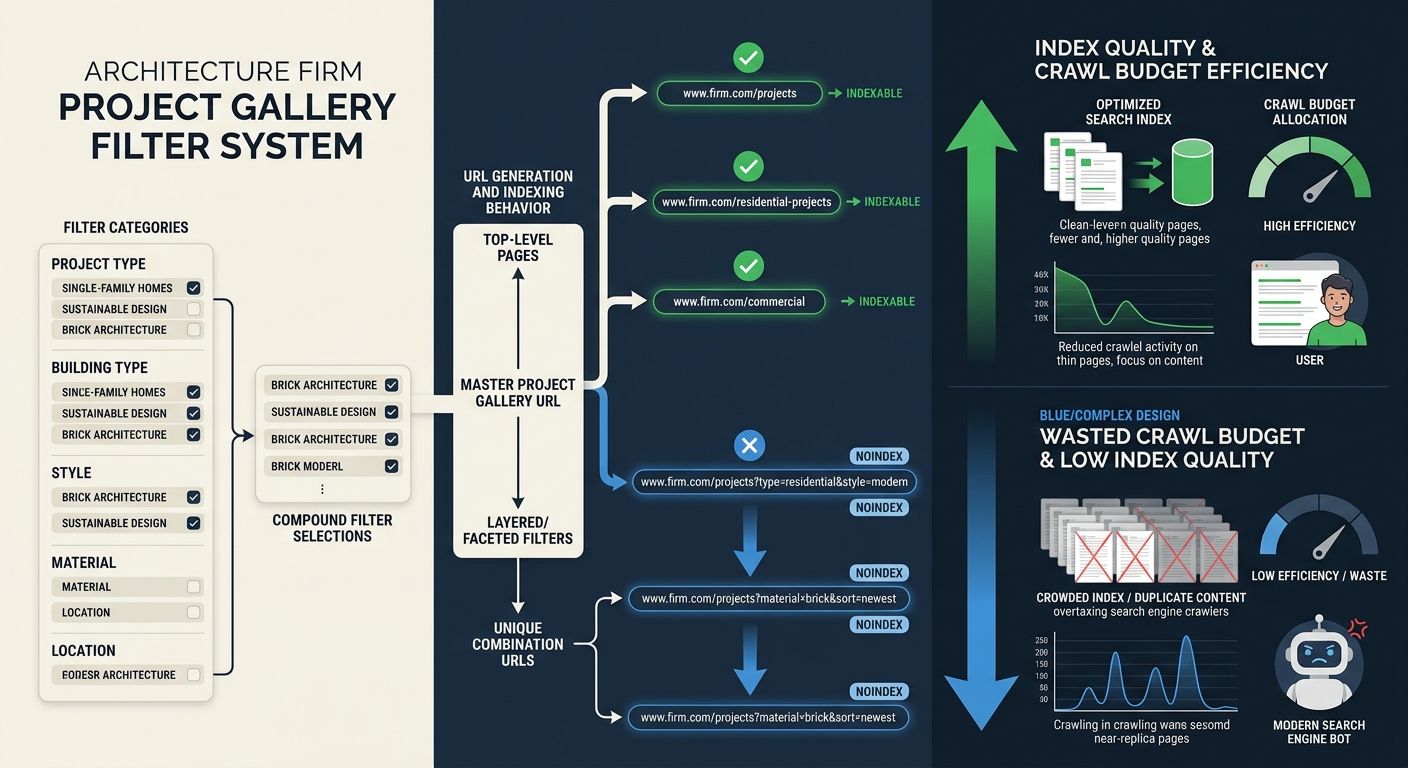
Architecture and design firms love to let visitors filter their project portfolios. By project type (residential, commercial, institutional), by style (modern, traditional, adaptive reuse), by location, by award status, by year completed. It's a great user experience. It's also an SEO disaster when implemented without careful technical controls.
Each filter combination generates a unique URL. A firm with 5 project types, 4 styles, 8 locations, and 10 completion years can theoretically generate 1,600 unique filter URLs, each containing a subset of the same 40 to 60 projects. Google sees 1,600 pages of near-duplicate thin content and draws the obvious conclusion: this site has a quality problem.
This is what SEO professionals call a "Combinatorial Explosion," and in 2026, the consequence has shifted from a crawl budget problem to an index budget problem. Google's willingness to retain pages in its index is the binding constraint, not its willingness to discover them. When your index gets polluted with hundreds of low-value filter pages, the authority signals that should be concentrating on your best project pages get diluted across URLs that nobody searches for and nobody needs.
The diagnostic checklist for this problem is straightforward but specific to portfolio-based sites:
Run a site:yourdomain.com search in Google and count the indexed pages. If you have 60 projects and 15 other pages but Google shows 400+ indexed URLs, you have a faceted navigation indexing problem.
Check your robots.txt and meta robots tags. Broad category pages (like /residential-design or /commercial-projects) should be indexable with unique H1 tags, unique meta descriptions, and unique introductory copy. Granular filter combinations (like ?style=modern&location=downtown&year=2024) should be blocked from indexing via noindex tags or canonical tags pointing to the parent category.
Audit your internal link structure. If your site's navigation links to every filter combination, you're passing link equity to pages you don't want indexed. Restrict internal links to your core category pages and individual project pages.
Review Google Search Console's "Pages" report under the Indexing section. Look for "Discovered but not indexed" and "Crawled but not indexed" entries. Large numbers of filter URLs in these categories confirm that Google is finding your thin filter pages and choosing not to index them, which consumes crawl resources without producing any visibility.
This parallels a pattern I've documented in B2B industrial firms, where rankings that look healthy on the surface mask a conversion gap because the wrong pages are attracting the wrong traffic. For architecture firms, the wrong pages aren't attracting any traffic at all. They're just dragging down the pages that should be performing.
The discipline required here runs counter to what many design teams want. Creatives want maximum filtering flexibility. SEO requires deliberate constraint on which filter paths get exposed to search engines. These two goals can coexist, but only if the technical implementation treats them separately: full filtering for logged-in or JavaScript-enabled users, controlled indexation for Googlebot.
Where This Leaves the Hundred-Point Checklist
The generic audit framework isn't useless. It catches broken links, missing meta descriptions, duplicate title tags, and XML sitemap errors. Those problems matter, and fixing them produces measurable improvements. But for architecture and design firms, those problems typically account for 15 to 20% of the actual visibility gap. The other 80% lives in the three areas outlined above: rendering pipeline exclusions from JavaScript-heavy page construction, portfolio pages too thin on crawlable content and structured data to compete for meaningful queries, and index pollution from uncontrolled faceted navigation.
The shift toward vertical specialization in SEO exists precisely because of this gap. A niche vertical SEO framework for architecture firms needs to start with the audit categories that move the needle for visual, project-based sites, then layer the generic checks on top. The industry-specific items should include rendering verification for JavaScript-dependent content, content depth analysis calibrated to the competitive landscape for design queries, structured data implementation for project attributes, INP testing on interactive gallery components, and index hygiene for faceted portfolio navigation.
If your current SEO provider is handing you a generic scorecard and calling it an architecture firm SEO audit, you're paying for false reassurance. The score says 85. The organic pipeline says otherwise. And the three problems that explain the difference won't show up until someone builds an audit that was designed for the kind of site you actually have.
Marcus Webb
Digital marketing consultant and agency review specialist. With 12 years in the SEO industry, Marcus has worked with agencies of all sizes and brings an insider perspective to agency evaluations and selection strategies.
Related Articles

Why Architecture Firms Still Rank Invisibly After 6 Months of SEO: The Portfolio Optimization Paradox
Google processes architecture firm portfolio pages the same way it processes any image gallery without supporting text: it indexes the page, finds almost nothing to rank, and buries it behind competitors who describe their work in words search engines can parse.

Portfolio Optimization for Architecture Firms: The SEO Checklist Beyond Beautiful Images
Architecture firm portfolios rank among the most visually impressive pages on the web and among the worst-performing in organic search.

Building SEO into Your Development Workflow: The Technical Checklist Developers Actually Use
The technical SEO implementation checklist pinned to your dev team's project board tells you more about who to hire than any portfolio review or coding interview ever will. Agencies that integrate SEO-first development practices into their build process ship sites that perform from day one.
Explore more topics