
White-Label SEO Tool Integration: Building a Custom Agency Stack Without Vendor Lock-In
A 15-person agency in Austin lost access to every single client report overnight. Their all-in-one SEO platform raised prices by 40%, and when they pushed back on the renewal, the vendor revoked API credentials during a billing dispute.
 Marcus Webb··8 min read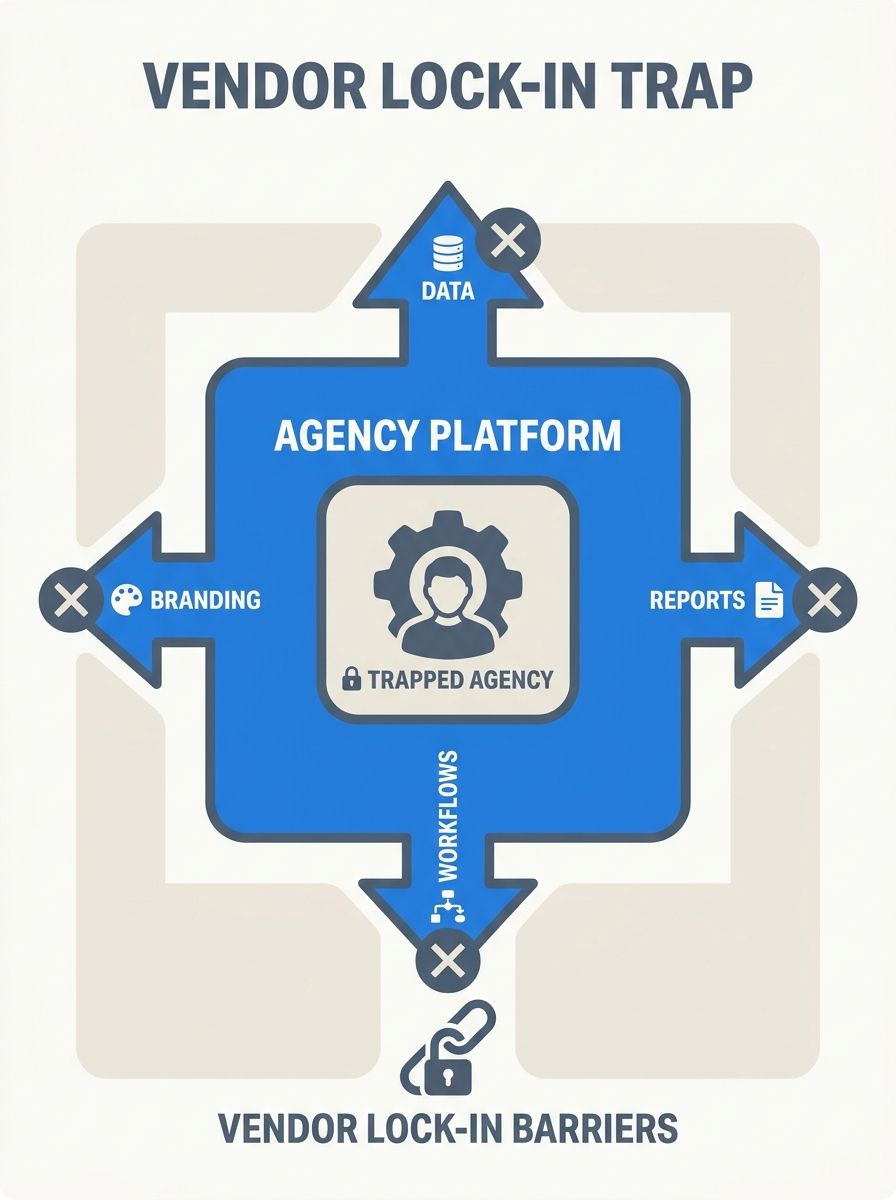
White-Label SEO Tool Integration: Building a Custom Agency Stack Without Vendor Lock-In
A 15-person agency in Austin lost access to every single client report overnight. Their all-in-one SEO platform raised prices by 40%, and when they pushed back on the renewal, the vendor revoked API credentials during a billing dispute. Three years of historical ranking data, custom dashboards, report templates — gone behind a paywall. The agency scrambled for two weeks to rebuild everything from scratch on a new platform, burning through roughly $18,000 in unbillable labor. That's vendor lock-in, and it doesn't just cost money. It costs client trust.
I've evaluated over 200 SEO agencies, and the ones who weather disruptions like that are the ones who built their tool stacks with portability in mind from day one. This piece breaks down how to assemble a white-label SEO reporting infrastructure that gives you full brand control, real data ownership, and the flexibility to swap out any single vendor without your clients ever noticing.
The Vendor Lock-In Problem Is Worse Than You Think
Agencies rarely realize they're locked in until the damage is done. The warning signs are subtle: proprietary data formats, API access gated behind enterprise tiers, report templates that only export as branded PDFs. Every one of those friction points is designed to make leaving expensive.
Here's what I see across agencies I consult with:
Data gravity: The longer you store ranking history, backlink profiles, and audit data inside one platform, the harder it becomes to migrate.
Workflow dependency: Your team builds muscle memory around a specific UI. Switching tools means retraining everyone.
Client-facing branding: If your white-label reports are tightly coupled to one vendor's template engine, rebuilding that presentation layer takes weeks.
The real cost isn't the subscription. It's the switching cost. And vendors know this.
The Architecture of a Modular Agency Stack
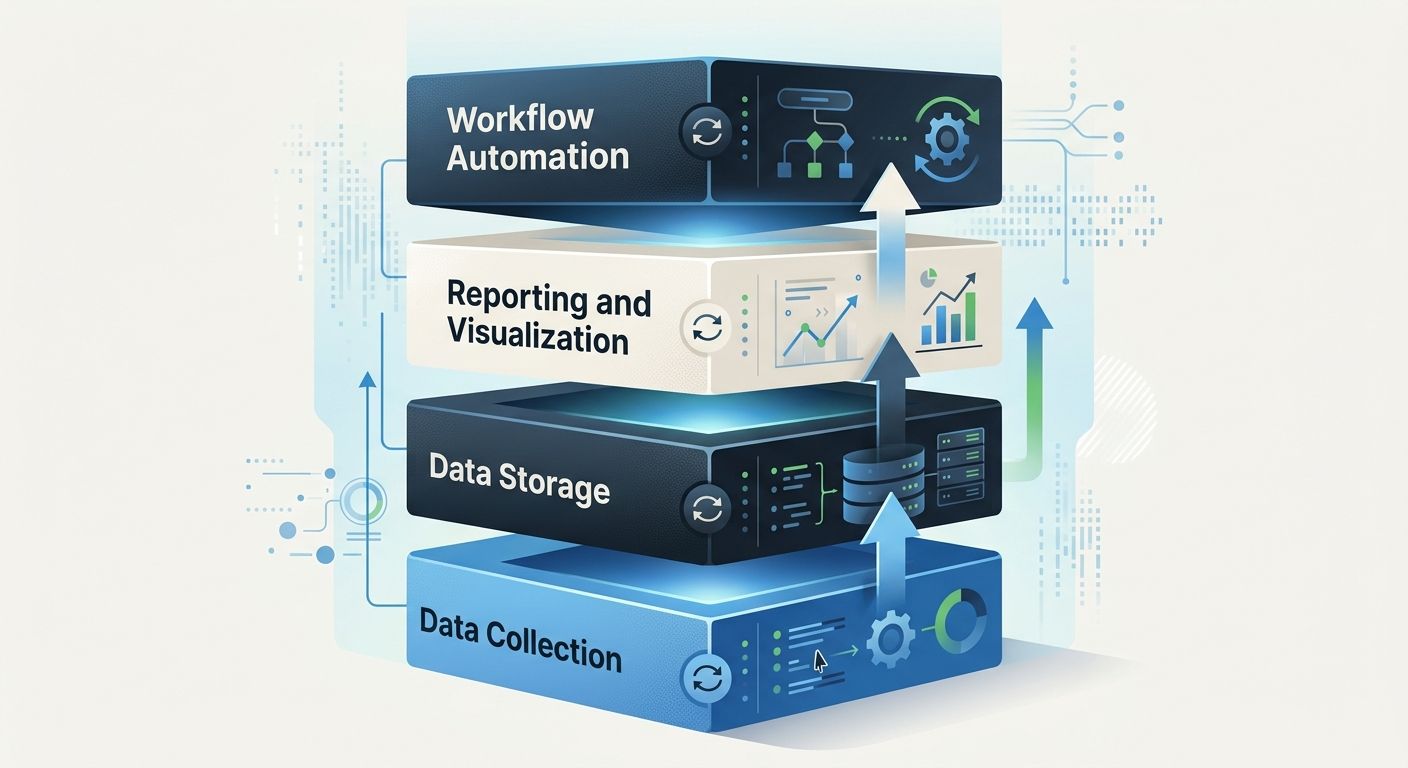
The agencies I've seen succeed with custom dashboard development all follow a similar blueprint. They separate their stack into four distinct layers, each of which can be swapped independently:
Layer 1: Data Collection
This is where raw SEO data originates. Rank tracking, crawl data, backlink monitoring, search console metrics. The key decision here is whether your data collection tools expose their information through a well-documented agency tool integration API.
Platforms like SE Ranking offer API access alongside Looker Studio connectors, which means your ranking data isn't trapped inside their interface. AccuRanker takes a similar approach with native connectors designed to plug into an agency's reporting infrastructure. And Advanced Web Ranking lets you pull ranking data into a completely different reporting platform through their developer API.
The principle is simple: never let the tool that collects your data also be the only tool that can display it.
Layer 2: Data Storage and Normalization
This is the layer agencies skip most often, and it's the most important one for avoiding lock-in. Instead of relying on your SEO platform's built-in database, pipe your data into a storage layer you control. That could be a simple PostgreSQL database, a Google BigQuery instance, or even well-structured Google Sheets for smaller operations.
When you own the data store, swapping out Layer 1 tools becomes a plumbing change rather than a complete rebuild.
Layer 3: Reporting and Visualization
This is where white-label SEO reporting happens. Your client-facing dashboards, automated PDF reports, and performance summaries all pull from your centralized data store rather than directly from any single tool's UI.
Tools like seoClarity let you create unlimited custom dashboards by user or role, which is useful for enterprise setups. But the truly vendor-independent approach is building your visualization layer in something like Looker Studio, Retool, or even a custom front-end that queries your own data store.
Layer 4: Workflow Automation
This handles task assignment, alert triggers, and the SEO automation workflow that keeps your team from drowning in manual work. Platforms like Worklenz are purpose-built for this, offering multi-project workspaces and task-level accountability that agencies need to deliver on time. But your automation layer should connect to your data store, not to a specific SEO tool's proprietary alert system.
Picking Tools That Play Nice Together
Not every white-label SEO platform is created equal when it comes to integration. I've spent months testing API documentation, rate limits, and actual data portability across the major players. Here's my honest assessment of what matters:
What to evaluate before committing:
API documentation quality: Can a junior developer understand it within an hour? If the docs are sparse or outdated, you'll burn time on support tickets.
Rate limits: Some platforms throttle API calls so aggressively on mid-tier plans that real-time dashboards become impossible.
Data export formats: JSON and CSV are table stakes. If a tool only exports proprietary formats, walk away.
White-label depth: Does the platform offer custom domain access (seo.youragency.com), or just a logo swap on a generic subdomain? SE Ranking's Agency Pack at $50/month provides full white-label capabilities including custom domains and branded login pages, which is solid value at that price point.
Contract terms: Watch for annual commitments with auto-renewal clauses. I always push clients to negotiate quarterly opt-out windows.
For context on how this pricing compares to hiring an agency to handle everything for you, I've broken down the real cost differences between tool stacks and full-service agencies in a separate analysis.
Building Your Custom Dashboard: Practical Steps
Here's the actual process I recommend to agencies building their own reporting layer. This isn't theoretical. I've walked seven agencies through this exact sequence.
Step 1: Audit your current data sources. List every SEO metric you report to clients. For each metric, identify which tool generates it and whether that tool has an API endpoint for it.
Step 2: Choose your data warehouse. For agencies with under 50 clients, Google BigQuery's free tier is usually sufficient. For larger operations, a managed PostgreSQL instance on a cloud provider runs $30-80/month and gives you full SQL access.
Step 3: Build extraction scripts. Connect each tool's API to your data warehouse. Schedule pulls daily for ranking data, weekly for backlink profiles, and on-demand for audit results. This is your SEO automation workflow backbone.
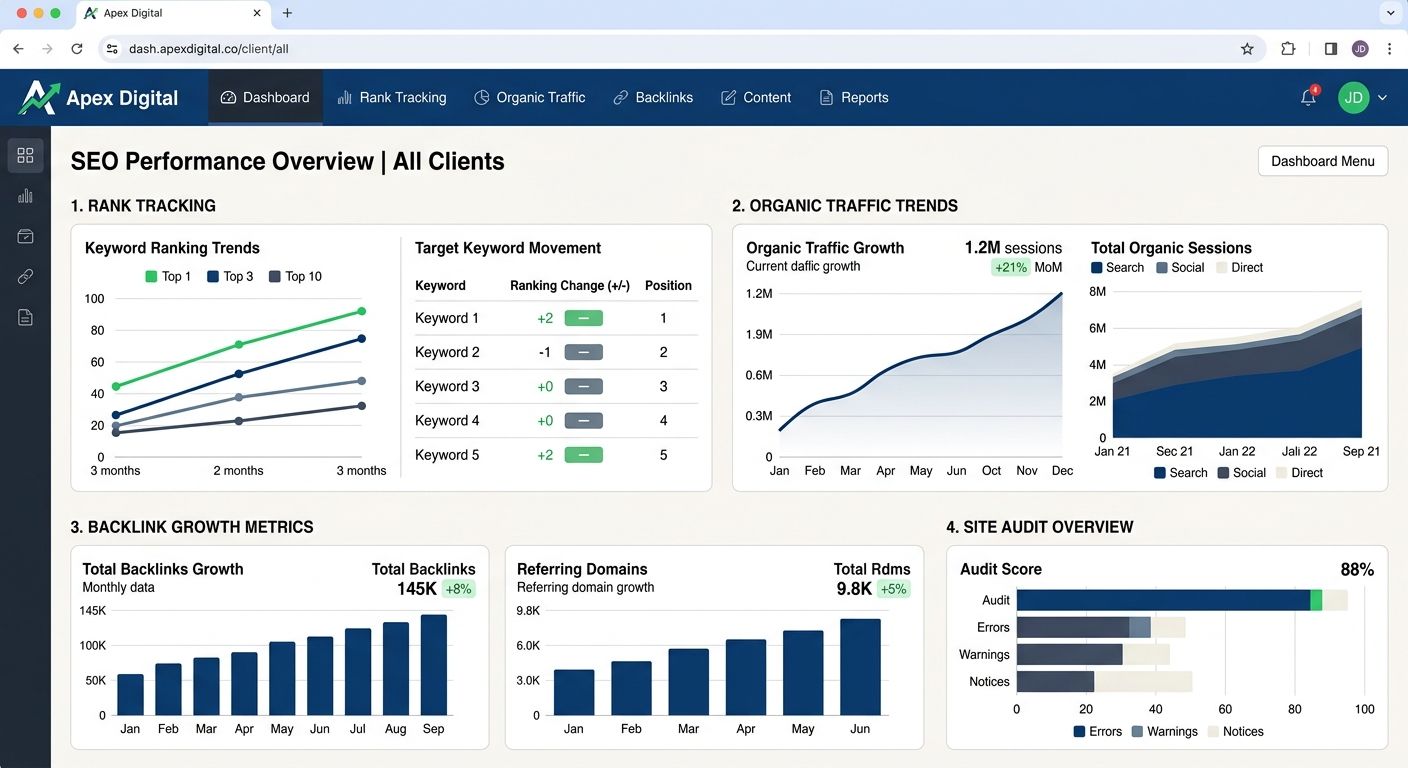
Step 4: Design your dashboard templates. Start in Looker Studio if you want speed. Move to a custom front-end (React, Vue, whatever your dev prefers) if you need pixel-perfect branding. Either way, your dashboards pull from your warehouse, not from any individual tool.
Step 5: Set up automated report delivery. Schedule branded PDF exports to clients on the cadence they expect. I find bi-weekly works for active campaigns, monthly for maintenance clients across the agencies I work with.
The API-First Mindset: Why It Changes Everything
I've been beating this drum for a while now, and I'm not alone. The shift toward API-first SEO over subscription tool sprawl is one of the most significant operational changes hitting agencies right now.
An API-first approach means you evaluate every tool primarily by the quality of its integration surface. As Siteimprove's enterprise research notes, the critical factors are stable APIs, event streams, connectors to CDPs and BI tools, and real admin tooling. The UI is secondary. You're buying data access, not a pretty dashboard.
This mindset flip has several practical benefits:
You can A/B test tools without disrupting clients. Run two rank trackers simultaneously, compare data quality, and cut over invisibly.
Your team skills become transferable. Instead of training people on proprietary UIs, you train them on data analysis and dashboard building — skills that transfer across tools.
Your pricing power increases. When clients see a polished, branded dashboard that appears custom-built, they perceive more value than when they're staring at a white-labeled version of a tool they could buy themselves for $99/month.
When you're evaluating agencies that claim to offer this kind of technical depth, the vetting methodology for enterprise SEO agencies I outlined previously applies directly. Ask to see their data architecture. If they can't explain where your data lives and how it moves between systems, they probably don't have one.
Common Mistakes I See Agencies Make
After 12 years in this industry, certain patterns repeat themselves. Here are the ones that burn the most time and money:
Mistake 1: Over-engineering too early. You don't need a custom-built data pipeline on day one. Start with Looker Studio connected directly to two or three tools via their native integrations. Add the data warehouse layer when you hit 20+ clients or when you need historical data beyond what your tools retain.
Mistake 2: Ignoring data retention policies. Many SEO platforms only retain historical data for 6-12 months on mid-tier plans. If you're not pulling that data into your own storage, you lose it. I've seen agencies unable to show year-over-year trends because their tool purged the comparison data.
Mistake 3: Choosing tools based on features instead of integration quality. The platform with 47 features and a closed API will cause you more pain than the focused tool with 12 features and a clean REST API. I'd rather work with three focused tools that talk to each other than one monolithic platform that does everything poorly.
Mistake 4: Neglecting AI search visibility. With 57.6% of SEO professionals reporting increased competition from AI-generated results absorbing organic traffic, your stack needs to track visibility beyond traditional SERPs. If your approach to AI visibility optimization doesn't include tracking brand mentions in AI responses, you're already behind.
A Realistic Budget for a Modular Stack
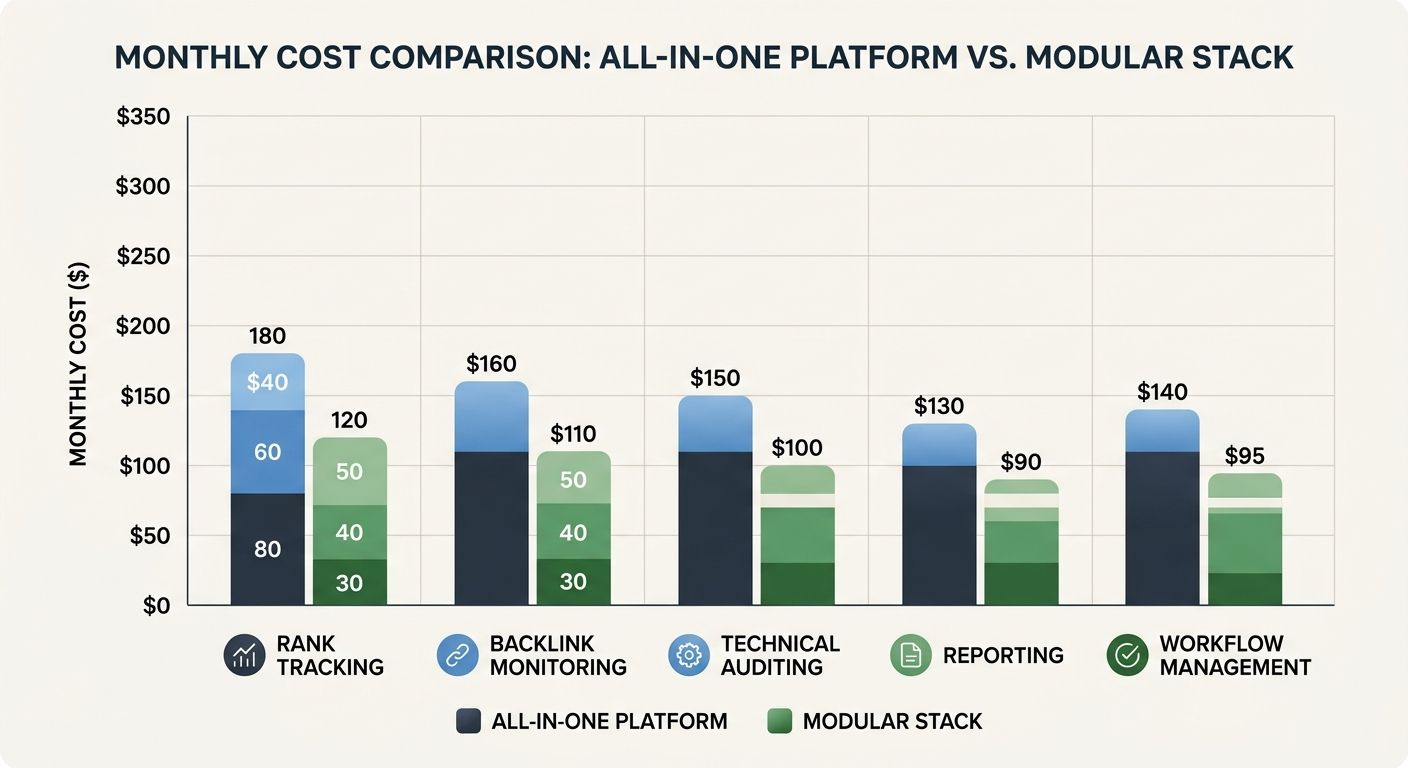
Agencies always ask me what this actually costs. Here's a realistic breakdown for a mid-sized agency (15-40 active clients):
Rank tracking (SE Ranking or AccuRanker): $80-180/month
Backlink monitoring (Ahrefs or Majestic): $199-399/month
Technical crawling (Screaming Frog or Sitebulb): $20-50/month per license
Data warehouse (BigQuery or managed PostgreSQL): $0-80/month
Dashboard/reporting (Looker Studio or AgencyAnalytics): $0-200/month
Workflow management (Worklenz or Asana): $0-100/month
Developer time for integration (one-time): $3,000-8,000
Total ongoing: roughly $300-1,000/month, plus that initial integration investment. Compare that to enterprise all-in-one platforms where baseline tools like Ahrefs and Semrush start at $399-449/month alone, and the modular approach often comes out cheaper with dramatically better flexibility.
The one-time developer cost pays for itself within six months for agencies I work with, especially when you factor in the client retention benefits of truly branded reporting.
The Practical Takeaway
Building a custom agency stack isn't about rejecting all-in-one platforms on principle. It's about making deliberate architectural decisions that keep you in control. Every tool in your stack should meet three criteria: it exposes your data through a clean API, it lets you export everything in standard formats, and it doesn't require you to show its branding to your clients.
Start simple. Connect two data sources to a Looker Studio dashboard this week. Build the habit of storing your own data. Then expand from there. The agencies I work with that adopted this approach recovered from the March 2026 core update faster than their peers because they could pivot their reporting and analysis tools without rebuilding their entire client-facing infrastructure.
Your tools should work for you. The moment they start working against you — that's vendor lock-in, and now you know how to prevent it.
Marcus Webb
Digital marketing consultant and agency review specialist. With 12 years in the SEO industry, Marcus has worked with agencies of all sizes and brings an insider perspective to agency evaluations and selection strategies.
Explore more topics